Leave Your Message

How to Choose LED Lights for an Entertainment Center?

Choosing Led Lights Entertainment Center lighting is not merely a styling decision. It affects screen comfort, electricity use, heat, and viewing quality. A bright strip behind a television may look impressive, yet poor placement can create reflections across dark scenes. The best design supports the content, not competes with it.

Energy performance provides a practical starting point. The U.S. Department of Energy reports that LED products can use at least 75% less energy than incandescent lighting and last up to 25 times longer. ENERGY STAR guidance also emphasizes certified LEDs, appropriate color quality, and compatible controls. These findings matter in entertainment spaces, where accent lighting may operate for several hours each evening. Lower wattage helps, but efficiency alone does not guarantee comfort.

Color temperature, color rendering, dimming, and flicker deserve equal attention. A 2700K to 3000K setting can create a warm cinema atmosphere. Neutral white light may work better for gaming or cleaning. Look for a high CRI, especially when displaying artwork, wood textures, or colorful décor. Verify that the LED strip, driver, and dimmer are designed to work together. A mismatched system may buzz, flicker, or fail early.

Measure the cabinet before purchasing. Leave room for ventilation and cable access. Hide light sources behind the screen or shelving edges, rather than placing bare diodes at eye level. This guide explains how to compare specifications, test brightness, and avoid common installation mistakes. Some recommendations may need adjustment; every room has different wall colors, screen sizes, and viewing habits.
How to Choose LED Lights for an Entertainment Center?

Identify Your Entertainment Center’s Lighting Needs

Identify the entertainment center’s lighting needs before comparing LED specifications. Measure the wall, screen, shelves, and seating distance. A screen facing a bright lamp can produce distracting reflections. Dark cabinetry may need more controlled fill light than pale walls.

The U.S. Department of Energy reports that LEDs use at least 75% less energy than incandescent lamps. It also reports lifespans up to 25 times longer. These figures support efficient operation, but brightness alone is not the answer.

Separate the room into three functions: ambient, viewing, and display lighting. Ambient light should soften contrast around the screen. Viewing light needs low glare and smooth dimming. Display light can highlight books or objects without shining into viewers’ eyes.

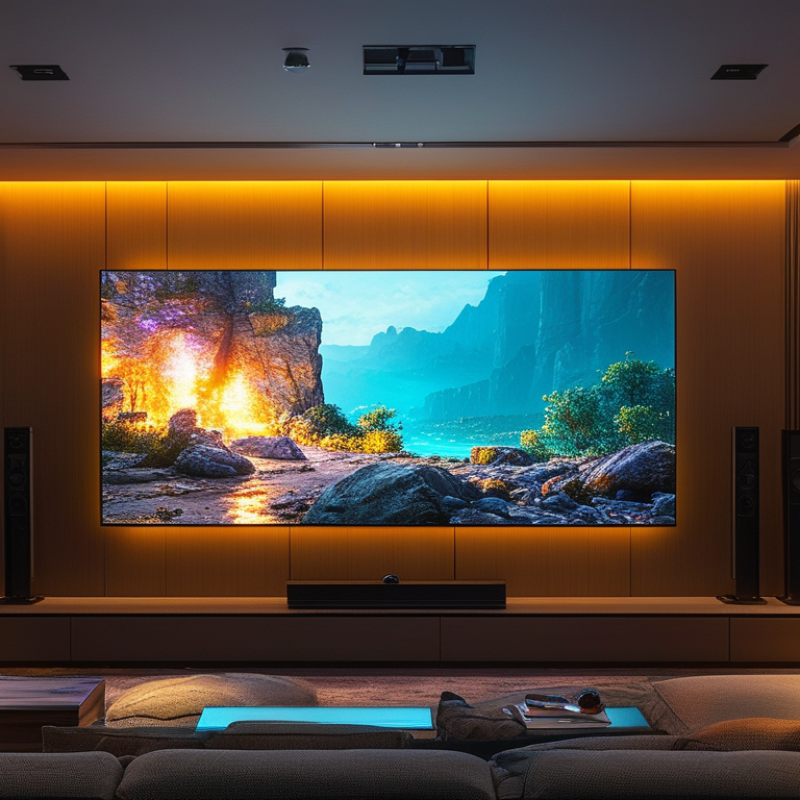
For a 65-inch screen, place strips behind the panel rather than along its front edge. Keep cables hidden and leave ventilation openings clear.

The International Energy Agency’s Energy Efficiency 2023 report says lighting represents about 15% of global electricity consumption. That makes controls practical, not decorative.

Choose a warm-to-neutral color temperature, often 2700–4000 K, depending on décor and viewing habits. A color rendering index of 80 or higher suits most living spaces. Higher accuracy helps when artwork or wood tones matter.

Check the actual dimming range. Some lights flicker badly at low output. I would not trust a box claim without testing it at night.

A small sample beside the screen can expose glare, uneven color, or an irritating hotspot. This step feels slower, yet it prevents an expensive mismatch.

Choose the Right LED Light Type and Color Temperature

How to Choose LED Lights for an Entertainment Center?

Choose the Right LED Light Type and Color Temperature

Start with the light’s job, not its appearance in a product photo. LED strips work well behind a television or along cabinet edges. Their flexible shape follows narrow spaces and creates an even glow. Puck lights suit shelves, but exposed points can produce distracting reflections on glossy screens. For a softer effect, choose diffused strips or fixtures with frosted covers. Check the color rendering index too. A CRI of 90 or higher usually shows wood, fabric, and artwork more naturally.

Color temperature changes the room’s mood and viewing comfort. Warm white, around 2200K to 3000K, creates a relaxed cinema-like atmosphere. Neutral white, near 3500K to 4500K, reveals details better for reading or organizing equipment. Cooler light can feel sharp and clinical in a dark media room. I usually test a small section before installing everything. My first setup was too bright, and the screen seemed less impressive. That mistake was useful.

Choose dimmable LEDs with low flicker, especially when people watch for several hours. A remote or wall control should adjust brightness without forcing viewers to stand up. Keep the light source hidden from normal seating positions. Place strips behind the television, under shelves, or inside side panels. Avoid aiming LEDs directly toward the screen or audience. Measure the cabinet first, because extra wiring can become messy quickly. A neat installation may matter more than a stronger light.

How to Choose LED Lights for an Entertainment Center?

Choose the LED light type according to the installation area, then select a color temperature that matches the viewing mood. The chart shows typical luminous efficacy values for common LED formats; higher values generally indicate more light output per watt.

Recommended Color Temperature

2700–3000K: Warm and relaxing, suitable for movie watching and ambient backlighting.

3500–4000K: Balanced and neutral, suitable for mixed-use entertainment areas and reading.

5000–6500K: Cool and energetic, usually better for task lighting than for a relaxed viewing environment.

Practical tip: Use flexible LED strips for shelves and cabinet edges, COB or puck lights for focused accent lighting, and LED bulbs or panels when broad room illumination is needed. Select dimmable products to reduce glare and adjust brightness during viewing.

Match Brightness, Color, and Effects to Your Setup

Choose brightness by screen size and viewing distance, not by maximum output. For a 55-inch television, soft backlighting around 300–600 lumens usually reduces wall glare without competing with the picture. The U.S. Department of Energy’s solid-state lighting reports place high-performing white LED packages above 200 lumens per watt in laboratory conditions. Installed strips perform lower. Heat, diffusion, and power supplies matter.

Color should follow the room’s purpose. A neutral 4000K setting can sharpen shelves and console details, while 2700–3000K feels calmer during films. For accurate on-screen colors, select LEDs with a color rendering index above 90.

ENERGY STAR guidance reports that certified LED lighting can use up to 90% less energy than incandescent lighting and last much longer. Efficiency helps, but poor color still ruins the scene.

Effects need restraint. Use gentle fades for movies and slow transitions for gaming. Fast flashing patterns can become distracting, especially near reflective screens. Music-reactive modes look impressive briefly. Then they become tiring. I have found that placing lights behind the screen, under shelves, and inside cabinets creates clearer layers than covering every edge. Leave dark spaces between zones. A small mistake remains visible. Test brightness at night, with the screen showing both a black scene and a bright one. Adjust again.

Check Power, Controls, Compatibility, and Safety

How to Choose LED Lights for an Entertainment Center?

Choosing LED lights for an entertainment center starts with power, not color. Check the strip’s voltage and total wattage before connecting anything. The adapter must match the required voltage and provide enough current. I once focused on brightness and ignored cable length. The lights dimmed near the far end. That mistake taught me to measure every shelf and allow extra capacity. Keep the power supply ventilated, especially inside a closed cabinet. Avoid overloaded sockets, damaged wires, and adapters that feel unusually hot.

Controls should fit your daily habits. A physical switch works well for simple setups. Remote or app controls offer dimming, timers, and scene changes. Check whether the controller supports the light’s voltage and connector type. Compatibility matters with music or screen-sync features. Some systems need separate control equipment, which can clutter a narrow shelf. Safety also includes placement. Keep lights away from vents, sharp metal edges, and loose cables. Use low-heat products designed for indoor installation, and follow the included instructions carefully.

Tips: Measure twice. Test one section before installing the full set. Check brightness from your normal viewing position, because reflections can become distracting. Secure cables with suitable clips, not tightly folded bends. Leave access to the switch and adapter. If the wiring seems unclear, ask a qualified electrician instead of guessing. I still think warm lighting looks best for movie nights, but preferences change with room color and screen brightness. Test it after dark.

Install and Position the LED Lights for the Best Results

Installing LED lights around an entertainment center requires more planning than simply sticking a strip behind the screen. Measure the cabinet edges first, then mark the intended path with removable tape. A soft glow works best behind the television, while brighter lighting can distract from the picture. Keep the light source hidden from direct view.

Clean dusty surfaces with a dry, lint-free cloth before attaching adhesive-backed lights. Warm the adhesive slightly with your hand, but do not use excessive heat. Press each section firmly for several seconds. Leave space around vents, speakers, power supplies, and cable connections. Heat trapped inside a closed cabinet can shorten the light’s service life.

I usually place the strip about five centimeters from the rear edge. This creates a wider halo on the wall. Corners should be bent gently, never sharply folded. Use proper connectors when the design requires a turn. I once installed lights too close to a side panel, and the reflection looked harsh. Moving them inward solved most of the problem.

Set the brightness low before testing the room at night. Adjust the position while watching the screen from your normal seat. The best color is often a neutral white, but personal comfort matters. Follow the supplied electrical instructions, and unplug the system before changing connections. A neat installation should look intentional, not hidden under tangled wires.