How to Choose a Modern TV Stand for Any Space?
Choosing a Modern Tv Stand is not merely a styling decision. It affects viewing comfort, storage, cable control, and the room’s visual balance. The Consumer Technology Association’s 2024 U.S. Consumer Technology Ownership Study reports that televisions remain present in the vast majority of American homes. That widespread ownership makes the supporting furniture increasingly important, especially as screens become larger and slimmer.
Interior designer Nate Berkus often says, “Your home should tell the story of who you are.” That principle applies to a TV stand, even when the furniture must hide routers, game consoles, remotes, and tangled cables. A low oak console can soften a bright apartment, while a wall-mounted design may preserve walking space in a narrow room. Measure the wall, screen width, viewing distance, and door clearance before choosing a finish. Small mistakes become obvious when a cabinet blocks a balcony door or leaves the television visually top-heavy.
The American Home Furnishings Alliance notes that durability, material quality, and functional design strongly influence furniture value. Still, no single Modern Tv Stand suits every space. Open shelving offers accessibility but collects dust. Closed doors create calm but may weaken remote-control signals. I have found that buyers often prioritize appearance first, then regret ignoring ventilation and weight capacity. That is worth reconsidering. A practical choice should support the screen safely, manage heat, and fit daily habits without making the room feel crowded. Deloitte’s Digital Media Trends research also shows continued streaming adoption, reinforcing the need for organized media furniture rather than decorative storage alone.
Assess TV Size, Room Layout, and VESA Patterns Up to 600 × 400 mm
How to Choose a Modern TV Stand for Any Space?
A modern TV stand should fit both your screen and your room. Measure the television’s width, height, and depth before shopping. Leave breathing space around the screen and enough clearance for cables. A large TV can overwhelm a narrow wall. A compact stand may look unstable beneath it. Check the stand’s weight rating against your TV’s actual weight, not an estimate.
Tips: Measure the viewing wall, not only the television. Mark the stand’s width with painter’s tape. This reveals awkward proportions early. Check cabinet depth against your outlets and streaming devices. Keep walkways clear, especially in smaller rooms. I once underestimated cable space, and the cabinet doors would not close properly. That small mistake changed the layout.
If the stand includes a mounting bracket, confirm the TV’s VESA pattern. VESA describes the distance between mounting holes, measured horizontally and vertically in millimetres. Common patterns include 200 × 200, 400 × 200, and 400 × 400 mm. Some larger screens require support up to 600 × 400 mm. Compare these measurements with the stand’s published compatibility range. Also verify screw size, mounting hardware, and the television’s weight. Never rely on screen size alone. Manuals can be unclear, so recheck every measurement before assembly. A careful second look is worth the delay.
How to Choose a Modern TV Stand for Any Space?
Assess TV Size, Room Layout, and VESA Patterns Up to 600 × 400 mm
| TV Size |
Approximate 16:9 Screen Width |
Suggested Minimum Stand Width |
Comfortable Viewing Distance |
Typical VESA Patterns |
Room Layout Guidance |
Stand Selection Check |
| 32 in |
70.8 cm / 27.9 in |
At least 80 cm / 31.5 in |
1.0–1.3 m / 3.3–4.3 ft |
75 × 75, 100 × 100 mm |
Suitable for bedrooms, compact apartments, desks, and narrow media areas. |
Confirm that the feet or pedestal fit fully on the stand surface. |
| 40 in |
88.6 cm / 34.9 in |
At least 100 cm / 39.4 in |
1.2–1.5 m / 3.9–4.9 ft |
100 × 100, 200 × 100 mm |
Works well in small living rooms, guest rooms, and compact entertainment zones. |
Leave room for cable bends behind the television and stand. |
| 43 in |
94.1 cm / 37.0 in |
At least 110 cm / 43.3 in |
1.3–1.6 m / 4.3–5.2 ft |
100 × 100, 200 × 100, 200 × 200 mm |
A practical size for apartments, multipurpose rooms, and medium-sized bedrooms. |
Use a stand with a stable base and adequate ventilation around the TV. |
| 50 in |
109.6 cm / 43.1 in |
At least 125 cm / 49.2 in |
1.5–1.9 m / 4.9–6.2 ft |
200 × 100, 200 × 200, 300 × 200 mm |
Fits most average living rooms and supports a balanced furniture arrangement. |
Position the screen so its center is close to seated eye level. |
| 55 in |
122.0 cm / 48.0 in |
At least 140 cm / 55.1 in |
1.7–2.1 m / 5.6–6.9 ft |
200 × 200, 300 × 200, 300 × 300, 400 × 200 mm |
Well suited to standard family rooms, open-plan spaces, and wider media consoles. |
Check the stand’s weight rating and whether the support points align with the feet. |
| 65 in |
144.8 cm / 57.0 in |
At least 165 cm / 65.0 in |
2.0–2.5 m / 6.6–8.2 ft |
300 × 200, 300 × 300, 400 × 200, 400 × 400 mm |
Best for medium-to-large living rooms with a clear front-facing viewing zone. |
Allow side clearance so the screen does not visually overwhelm nearby furniture. |
| 75 in |
166.0 cm / 65.4 in |
At least 185 cm / 72.8 in |
2.3–2.9 m / 7.5–9.5 ft |
400 × 200, 400 × 400, 600 × 400 mm |
Requires a spacious living room, strong sightlines, and sufficient distance from side walls. |
Choose a deep, rigid stand and verify the television’s exact mounting pattern. |
| 85 in |
189.3 cm / 74.5 in |
At least 210 cm / 82.7 in |
2.6–3.3 m / 8.5–10.8 ft |
400 × 400, 600 × 400 mm |
Designed for large rooms, dedicated media areas, and wide, unobstructed viewing angles. |
Use a reinforced stand with a wide footprint and keep the unit away from high-traffic paths. |
Important: Screen widths are calculated for a standard 16:9 display and exclude bezels. VESA patterns indicate the horizontal × vertical distance between mounting holes in millimetres; the exact pattern, screw size, weight, and stand-foot position vary by television model. Always verify the manufacturer’s specification before purchasing a stand or mount.
Size Stand Width with 2–6 Inches of Clearance Beyond the Screen
How to Choose a Modern TV Stand for Any Space?
A modern TV stand should support the screen visually and physically. Measure the television’s actual width, not its diagonal size. Then choose a stand that extends 2–6 inches beyond each side of the screen. This creates a balanced outline and gives the display a more secure appearance. For example, a 48-inch-wide television suits a stand measuring 52–60 inches wide. I once chose a stand that was barely wider than the screen. It looked acceptable at first, but the narrow profile felt unstable in the room.
Room layout matters too. Leave enough surface space for small speakers, a remote, or a decorative object. Avoid overcrowding the top. Check the stand’s weight rating before placing the television on it. Keep ventilation openings clear, especially when other electronics sit inside. A stand that fits perfectly on paper may still feel wrong beside a wide sofa or beneath a low window.
Tips: Use a tape measure twice. Mark the screen width on the wall with removable tape. Step back and inspect the proportions from the main seating position. In a compact room, choose the lower end of the 2–6-inch range. In a larger room, extra width can provide stronger visual balance. Do not ignore walking paths. They are easy to overlook.
How to Choose a Modern TV Stand for Any Space?
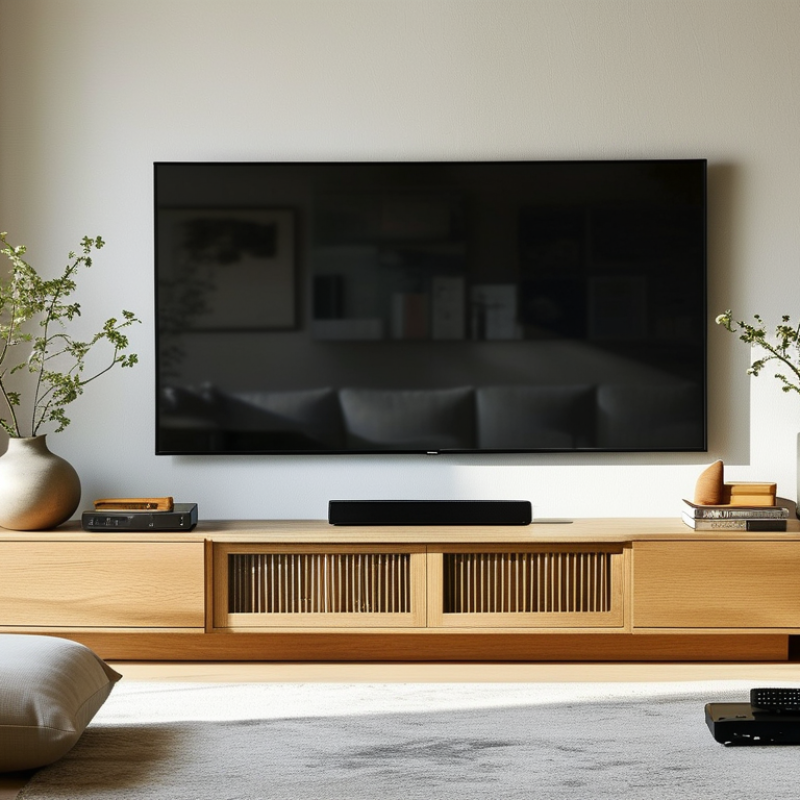
Choose a stand that extends 2–6 inches beyond the screen on each side for a balanced look and added stability.
Measurements are based on standard 16:9 TV proportions. Recommended stand widths show the practical range created by adding 2–6 inches to the screen width.
Set Viewing Height Around Seated Eye Level for Better Viewing Comfort
How to Choose a Modern TV Stand for Any Space?
Set Viewing Height Around Seated Eye Level for Better Viewing Comfort
A modern TV stand should support comfortable viewing, not only match your room’s style. When seated, your eyes should meet the center of the screen or sit slightly below it. This position helps reduce neck bending during long films, gaming sessions, or daily news. Measure from the floor to your seated eye level, then compare it with the screen’s center point. A tape measure works better than guessing.
The stand’s height depends on your sofa, chair, and television size. For example, if your seated eye level is 100 centimeters, the screen center should stay close to that height. Add half the television’s height to estimate the required stand height. Leave enough clearance for ventilation and easy cable access. A stable, level surface is essential, especially in homes with children or pets.
I once chose a stand by appearance alone, and the screen sat noticeably too high. My neck felt tired after one evening. That mistake changed how I measure furniture. Room lighting also matters. Avoid placing the screen where windows create strong reflections, even if the stand fits perfectly. A lower unit may look elegant, but it can become uncomfortable when cushions compress over time. Test the height with a temporary box or books before buying. Clearance from the floor can also simplify cleaning, though an overly open design may expose loose cables.
Plan Ventilation and Cable Space for HDMI 2.1’s 48 Gbps Data Rate
How to Choose a Modern TV Stand for Any Space?
A modern TV stand should support more than the screen’s weight. It must also manage heat, cables, and future upgrades. HDMI 2.1 can carry data at up to 48 Gbps. That speed makes cable placement more important. Avoid tightly bending the cable behind the stand. Leave enough depth for the connector and a gentle curve. A narrow cabinet may look elegant, but it can crush cables against the wall.
Ventilation deserves equal attention. Choose a stand with open sides, rear gaps, or ventilated doors. Keep several centimeters around consoles, receivers, and other heat-producing devices. Do not seal them inside a crowded compartment. Heat can shorten equipment life and cause unstable performance. Measure every device before buying. I once trusted a product photo and missed the rear connector depth. The installation worked, but only barely.
Tips: Use a tape measure and record width, height, depth, and cable paths. Leave extra space for airflow and future devices. Group power cables separately from signal cables when possible. Label both ends of long HDMI cables. This saves time during troubleshooting. Check the stand’s load rating and wall position carefully. A small design compromise may prevent a large repair later.
Check Load Capacity and Tip-Over Safety Under UL 1678 Guidelines
A modern TV stand should be judged by more than appearance. Check its stated load capacity against your television, soundbar, game console, and stored equipment. Leave a safety margin; a stand rated for 80 kilograms should not carry 78 kilograms daily. The weakest shelf, bracket, caster, or fastener can determine failure.
UL 1678 provides test-based guidance for television stands, including strength, stability, and tip-over performance. It is not a universal guarantee for every room or installation. Ask whether the stand was evaluated under the intended configuration. A tall, narrow cabinet behaves differently from a low, wide console. Uneven flooring, open drawers, and off-center screens can reduce stability. Measure carefully.
The U.S. Consumer Product Safety Commission has reported an average of about 22,000 furniture, television, and appliance tip-over injuries annually in recent years. Its reports also recorded dozens of related fatalities over multi-year periods. These figures make anchoring important, especially in homes with children or pets. Use the supplied restraint only when it reaches a solid wall structure. I once treated a heavy base as sufficient protection. That assumption was incomplete. A practical inspection includes pushing lightly from several directions, checking loosened hardware, and confirming that cables cannot pull the screen forward. Recheck after moving equipment.