Leave Your Message

How to Choose the Best Modern TV Stand?

Choosing the best Modern Tv Stand involves more than matching a screen to attractive furniture. The right piece should support your television securely, organize equipment, and fit naturally into your room. A glossy white stand may brighten a small apartment, while warm wood can soften a large living area. Looks can mislead. A beautiful cabinet may hide narrow shelves, weak hinges, or poor ventilation.

This guide examines practical details that influence everyday use. Measure your television, wall space, viewing distance, and available floor area before shopping. Leave enough width on both sides for balance and safer placement. Check the stand’s weight capacity against your television and soundbar. Manufacturer specifications matter here. They offer more reliable guidance than appearance alone. Cable openings should keep power cords separated from audio and gaming connections. Ventilated compartments help prevent heat from building around streaming devices.

Material deserves attention, too. Solid wood feels durable but can cost more and weigh considerably. Engineered wood may provide good value when its panels and joints are well constructed. Tempered glass shelves create an open look, yet fingerprints appear quickly. Small details often decide comfort. A soft-close door, adjustable shelf, or rear cable channel can remove daily frustration. Not every feature is essential. Sometimes, a simpler design works better.

Room lighting also changes how the stand looks. Measure twice. Then compare finishes, storage needs, stability, and maintenance before choosing. A thoughtful decision should feel practical today and remain dependable after your room changes.
How to Choose the Best Modern TV Stand?

Define Requirements: TV Size, Weight, VESA Pattern, and Room Layout

How to Choose the Best Modern TV Stand?

A reliable TV stand begins with accurate measurements, not appearance alone. Measure the television’s width, height, and depth before shopping. The stand should be wider than the screen, creating visual balance and better stability. Check its weight, including the base or wall-mount hardware. A stand rated below the television’s total weight is unsuitable.

VESA spacing matters when the television uses a mounting bracket. Measure the horizontal and vertical hole distances on the back. Match those measurements with the stand’s mounting range. Tips: Keep cables in mind. Leave ventilation space around devices, and check whether the rear panel blocks power outlets. A small gap can prevent overheating and frustrating cable bends.

Room layout changes the right choice. In a narrow room, a deep stand may obstruct walking paths or make the screen feel oversized. In a bright room, avoid placing the screen directly opposite a window. Reflections can make dark scenes difficult to see. I once selected a stand that fit the television perfectly, but its drawers blocked a nearby doorway. That mistake was avoidable. Now, I mark the stand’s footprint on the floor with tape before buying. I also sit in the usual viewing position and check the screen height. Eye level should feel natural, although personal comfort and sofa height can change the ideal position. Safety still deserves attention. Secure tall furniture when children or pets use the room.
Match Stand Width to Screen Size Using the 2–6 Inch Side-Overhang Rule

How to Choose the Best Modern TV Stand?

Modern televisions keep getting wider, so stand proportions matter more than diagonal size. Circana’s 2024 U.S. retail tracking found that 65-inch-and-larger televisions approached one-third of unit sales. That shift makes narrow furniture a common design mistake. Measure the screen from edge to edge, not corner to corner. Then choose a stand that extends 2–6 inches beyond each side.

For example, a typical 65-inch television measures about 57 inches wide. A suitable stand should measure roughly 61–69 inches. This creates visual balance and leaves space for airflow, speakers, or small décor. A 55-inch model is usually about 48 inches wide, requiring a stand near 52–60 inches. Wider is not always better. Excessive overhang can make the screen look undersized.

Check the television’s feet before ordering. Some feet sit near the edges, while others use a central base. The stand must support the full load and remain deeper than the feet. CTA’s 2024 U.S. Consumer Technology Ownership and Market Potential Study identifies 4K televisions as a mainstream household category, so these measurements apply to many current living rooms. In actual setups, I have seen owners measure the screen correctly but forget the feet. That small oversight can create wobble. I would also leave several inches behind the stand for cables, even when the room looks tight.

Verify Load Capacity Against TV Weight and VESA MIS Mounting Standards

How to Choose the Best Modern TV Stand?

A modern TV stand must carry more than your television’s advertised weight. Check the television, bracket, soundbar, and accessories together. Then compare that total with the stand’s rated load capacity. Leave a safety margin; a stand rated exactly at the calculated weight is not ideal.

The Consumer Product Safety Commission reported approximately 22,000 annual emergency-department injuries from furniture, television, and appliance tip-overs during 2018–2020. Stability deserves equal attention.

Verify the television’s VESA MIS pattern before selecting a mount. VESA MIS-F commonly covers larger displays, with hole patterns such as 200×200, 400×400, and 800×400 millimeters.

However, the exact pattern and screw depth vary by model. Measure the horizontal and vertical hole spacing. Confirm the mounting bolts do not enter too deeply.

A stand can look solid yet fail after a small installation error. I would also inspect the floor, cable tension, and center of gravity. These details are easy to overlook.

Tips: Read the television manual and stand manual together. Add every mounted component to the weight calculation. Test for rocking before placing expensive equipment inside. Keep heavier devices low and centered. The CPSC recommends anchoring furniture and televisions where possible, especially in homes with children. This is not decorative work; it is load management. Even professional measurements can miss uneven flooring, so recheck the stand after installation.

Set Viewing Height for Eye-Level Alignment and a 30° SMPTE Viewing Angle

How to Choose the Best Modern TV Stand?

A modern TV stand should place the screen at a comfortable eye level. When seated, your eyes should meet the screen’s center or sit slightly below it. This position reduces neck lifting during long viewing sessions. I once mounted a television too high because the wall looked balanced. After one movie, my shoulders felt tense. Visual symmetry is not always physical comfort.

Use the sofa as your measuring point. Sit naturally, with your back supported and feet resting on the floor. Measure from the floor to your eye level, then compare that height with the screen’s center. The stand should support this alignment without forcing you to tilt your head. Leave enough clearance for a soundbar, but avoid raising the screen unnecessarily. Small height changes matter.

A 30° SMPTE viewing angle offers a useful professional reference. It describes a viewing position that keeps the image within a manageable vertical angle from the viewer’s eyes. Keep the screen directly ahead when possible. Wide side seating can create distortion and glare. Room conditions complicate the calculation. A thick rug, low sofa, or reclining seat changes your actual eye height. Test the stand with a real chair before buying it. Sit for ten minutes. Look straight ahead. Your neck may disagree with the showroom display.

Recommended stand-top height is calculated for a seated eye level of 42 inches. The values use the 16:9 screen ratio and place the vertical center of each TV at eye level, helping reduce upward or downward viewing strain. For a 30° SMPTE horizontal viewing angle, seating distance should be approximately 7.5–11.5 feet for these screen sizes.

Evaluate Ventilation, Cable Management, Storage, and Tip-Over Safety Features

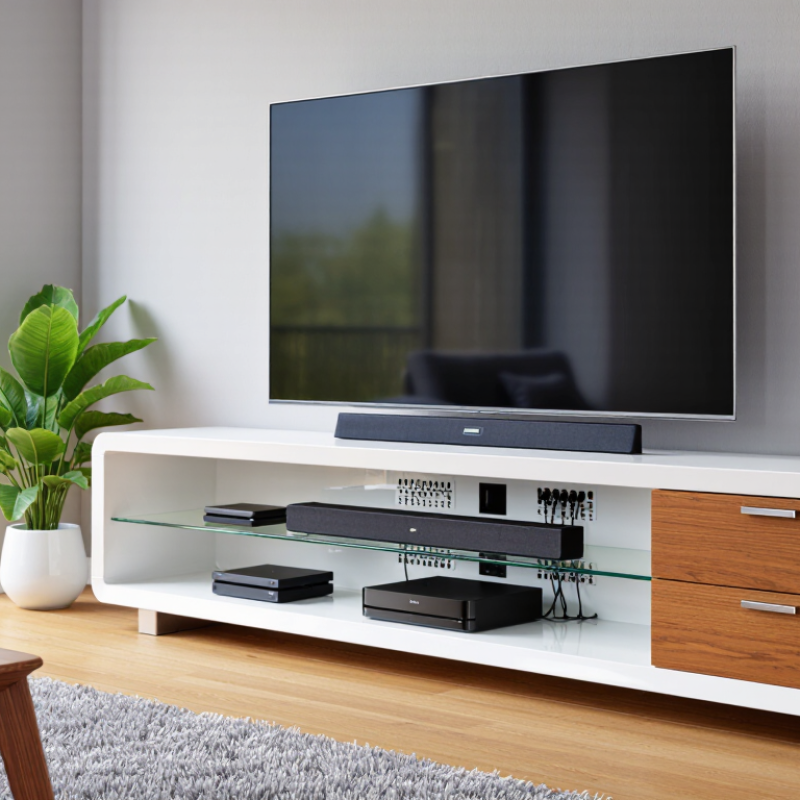
A modern TV stand should support more than a screen. It must manage heat, wires, equipment, and curious hands. During home installations, I check ventilation before appearance. Leave open space behind and above heat-producing devices. Slotted panels help air move. Enclosed cabinets can trap warmth. That mistake is easy to miss. Measure equipment while powered on, if possible. Warm air needs somewhere to escape.

Cable management deserves a hands-on test. Look for rear openings, wide channels, and removable panels. Pass each cable through without sharp bending. Keep power cords separate from signal cables where practical. Label both ends before pushing the stand against the wall. It saves time later. Storage should fit real habits, not showroom objects. Adjustable shelves can hold a console, router, and remote controls. Soft-close doors reduce noise, but tiny vents still matter. I prefer unused space over a crowded cabinet.

Tip-over safety deserves close inspection. Choose a stand with a broad, stable base and strong fasteners. Check whether it includes a wall-anchoring system. Secure the stand with hardware suited to the wall type. Do not rely on weight alone. Test doors and drawers gently after installation. A child pulling one handle can shift an unstable unit. I once underestimated how far a drawer could extend. Recheck clearances after loading it. Furniture can look stable and still need adjustment.

How to Choose the Best Modern TV Stand? - Evaluate Ventilation, Cable Management, Storage, and Tip-Over Safety Features

Evaluation Dimension What to Inspect Practical Benchmark Why It Matters Priority
Ventilation Open rear panel, ventilation slots, or a ventilated equipment compartment. Leave airflow space around heat-producing devices and avoid sealing the rear of media components completely. Better airflow helps reduce heat buildup and supports reliable operation of media equipment. Essential
Cable Management Rear cable cutouts, routing channels, removable back panels, and enough room for connectors. Use separate openings for power and signal cables when possible, and confirm that plugs fit through the openings. Organized cables improve ventilation, simplify troubleshooting, and reduce visible clutter. High
Storage Capacity Shelf width, cabinet depth, adjustable shelves, door style, and ventilation inside closed compartments. Measure every device, including its cables and ventilation clearance, before selecting a compartment. Correct sizing prevents overcrowding and leaves room for future equipment. High
Tip-Over Safety Anti-tip hardware, wall-anchoring instructions, stable base, and clear weight limits. Choose a stand with supplied or compatible anchoring hardware and install it according to the instructions. Anchoring helps reduce the risk of furniture tipping, especially in homes with children or pets. Essential
Load Capacity Maximum supported weight for the top surface and each shelf. The stand’s rated capacity should exceed the combined weight of the TV and any equipment placed on it. Adequate capacity helps prevent structural failure, bowing, or instability. Essential
Size and Proportion Stand width, depth, height, TV base dimensions, and clearance from walls or walkways. The TV base should sit fully on the top surface, with sufficient width and depth for stable placement. Correct proportions improve stability, viewing comfort, and room circulation. High
Construction Quality Rigid frame, level feet, secure joints, smooth edges, and hardware that tightens properly. Check that the assembled stand does not wobble and that doors, drawers, and shelves align correctly. A solid structure improves durability and reduces vibration or movement during use. High
Accessibility Remote-control visibility, access to ports, removable panels, and ease of cleaning. Keep frequently used controls and connection points reachable without moving the TV. Accessible components make setup, maintenance, and daily use more convenient. Medium
Material and Finish Surface resistance, edge treatment, moisture tolerance, and ease of cleaning. Select a finish suitable for the room’s humidity, sunlight, cleaning routine, and expected daily wear. Appropriate materials help maintain appearance and reduce long-term maintenance. Medium
Selection rule: Confirm the TV stand’s dimensions, weight limits, ventilation design, and anti-tip instructions using the product documentation before installation.