10 Tips for Choosing the Right TV Table?
Choosing the right Tv Table can transform a crowded living room into a calmer, more useful space. It should support your television securely, organize equipment, and suit your daily viewing habits. Appearance matters, but comfort and stability matter more.
In practical furniture selection, measurements usually prevent the most expensive mistakes. Check your television’s width, stand position, wall distance, and viewing height before shopping. Leave room for speakers, game consoles, streaming devices, and remote controls. A table that looks perfect online may feel cramped beside a deep sofa. Consider doors, drawers, cable openings, ventilation, and the table’s stated weight capacity. Those small details often decide whether the setup remains convenient after installation.
Material choice deserves careful attention. Solid wood offers warmth, while engineered wood can provide consistent sizing and easier maintenance. Metal frames may create a lighter appearance, but sharp edges require thoughtful placement. Look for stable joints, smooth finishes, and adjustable feet when floors are uneven. Reputable manufacturers should provide clear dimensions and care instructions. I once underestimated cable length and created a messy loop behind the cabinet. It was a small oversight, yet it changed the room’s appearance. No choice is perfect. Your needs may also change when new devices arrive. These ten practical tips will help you compare styles, avoid common regrets, and choose a Tv Table that works beyond the showroom.
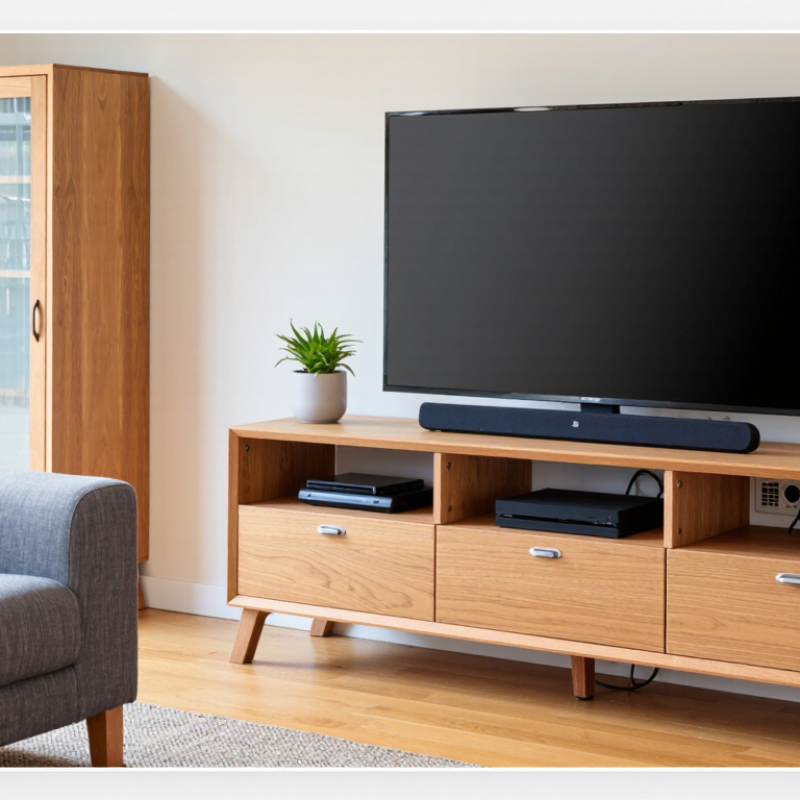
Define TV Size and Viewing Distance Using SMPTE’s 30° Field-of-View Rule
10 Tips for Choosing the Right TV Table
Define TV Size and Viewing Distance Using SMPTE’s 30° Field-of-View Rule
A TV table should begin with viewing geometry, not appearance. SMPTE’s 30° field-of-view rule suggests that the screen should occupy about 30 degrees of your horizontal vision. Measure from your seated eyes to the screen, not from the wall. As a practical guide, the viewing distance is about 1.9 times the TV’s diagonal size. A 55-inch screen, for example, suits roughly 8.5 feet of distance. Check your room carefully. Sofas often sit closer than expected.
Tip: Mark the proposed screen position with tape. Sit in your usual chair and judge the view before buying furniture. This simple test reveals awkward angles and excessive distance. It also helps you choose a table wide enough for the screen, with extra support on both sides. The table should remain stable when cables are connected or moved.
Tip: Keep the screen near eye level. A slight upward or downward angle may feel acceptable for a few minutes, then become tiring. Leave ventilation space around the television and avoid blocking ports. My own measurements were not perfect; furniture depth and seating posture changed the result. Recheck both dimensions. A visually attractive table can still create a poor viewing experience if the screen feels too large, too distant, or unstable.
Match Stand Width to the TV Footprint with 2–4 Inches of Side Clearance
10 Tips for Choosing the Right TV Table
The stand should match the TV’s actual footprint, not just its advertised screen size. Measure the distance between the outer edges of the TV feet, then add 2–4 inches of clearance on both sides. This space keeps the television visually balanced and reduces the chance of an edge slipping beyond the table. A 55-inch screen may need different support than another 55-inch model because their feet can sit farther apart. Measure carefully.
Tip: Check the feet position before ordering.
I once focused on the screen width and ignored the stand legs. The table looked large enough, but one foot rested almost at the edge. It was stable, yet not reassuring. A few extra inches would have improved the setup. Choose a table with a broad, level surface and enough depth for the feet, cables, and ventilation. Avoid letting the screen overhang noticeably. Uneven support can create unnecessary movement during cleaning or cable changes.
Tip: Leave room behind the TV for airflow and plugs.
A practical test helps. Place a measuring tape on the floor and mark the TV’s footprint. Add 2–4 inches per side, then compare that width with the table surface. Consider the table’s weight capacity, especially with a sound system or storage items. More clearance is usually helpful, but excessive width may overpower a small room. I still prefer checking the arrangement in the room before buying; measurements can feel different beside a sofa or low cabinet.
Set Screen Height Near Seated Eye Level for Comfortable Viewing
10 Tips for Choosing the Right TV Table?
The screen should sit near your seated eye level, not high above it. ANSI/HFES 100-2007 places comfortable frequent viewing within roughly 15 degrees below horizontal eye level. This helps reduce repeated neck extension during long programs. The screen’s center usually works better than its top edge as the height reference. Sit on your actual sofa before measuring. A dining chair can mislead you.
Anthropometric data also explains why one fixed height rarely suits everyone. The U.S. Army’s ANSUR II survey shows noticeable differences in seated eye height across adult users. Seat height, posture, and body proportions all change the result. Measure from the floor to your eyes while sitting naturally, with your back supported. Then place the TV center close to that measurement. Leave enough clearance for the table, sound equipment, and ventilation.
I made this mistake once. The table looked elegant, but the television sat too high for relaxed viewing. After twenty minutes, my chin lifted without notice. A lower table fixed most of the discomfort. Still, the ideal height is not universal. Children, reclined seating, and multiple viewing rows may require compromise. Keep the viewing angle modest, and check it from the seat used most often. Fancy furniture cannot correct a poor eye line.
Check Ventilation, Cable Routing, and ANSI/BIFMA Stability Criteria
A TV table is not merely a display surface. It manages heat, weight, and several cables behind a narrow cabinet. ANSI/BIFMA X5.9-2019 includes strength, durability, and stability testing for storage units, making it a useful reference when comparing furniture. It is not automatically a certification for every TV table. Check the manufacturer’s load rating, test scope, and assembly instructions. The rating should cover the television, soundbar, consoles, and accessories together.
Tip: Inspect ventilation space. Leave open areas behind and below the television, especially around power adapters and streaming devices. Poor airflow can trap heat like a closed drawer. The U.S. Department of Energy notes that standby power remains relevant across household electronics, so hidden devices still consume energy and produce warmth.
Tip: Plan cable routing before buying. Look for wide rear openings, smooth edges, and separate paths for power and signal cables. Avoid tight bends and compressed plugs. I once treated cable storage as decoration; it made cleaning harder and airflow worse.
Tip: Test stability on the actual floor. A thick rug can make a cabinet rock. CPSC’s Furniture Tip-Over Report estimated about 23,800 television tip-over injuries treated in U.S. emergency departments annually from 2018–2020. Use wall anchoring where appropriate, especially in homes with children or pets.
Tip: Read the stability details, not only “heavy-duty.” Ask whether testing follows relevant ANSI/BIFMA procedures, whether doors were loaded, and whether the unit resisted forward tipping. A perfect-looking table may still need better anchoring.