Leave Your Message

How to Choose the Right TV Cabinet?

A television can dominate a room, but the cabinet beneath it affects more than appearance. A suitable Tv Cabinet supports the screen, organizes devices, and helps the space feel balanced. The right choice depends on room dimensions, viewing habits, storage needs, and the equipment you already own. Small details matter.

Measure the wall and television before browsing. Check the cabinet’s width, height, depth, and clearance for doors, drawers, and cables. A unit that looks compact online may crowd a narrow walkway in person. Also consider how you watch: a low cabinet may suit a sofa, while a higher screen position can work better from a bed. These are practical starting points, not fixed rules; comfort varies with seating and personal preference.

Material and construction deserve equal attention. Solid wood, engineered wood, metal, and glass each bring different weights, finishes, and care requirements. Check load capacity and ventilation, especially when a receiver or game console generates heat. Open shelves offer quick access, while closed storage hides remotes and tangled cords. It is easy to overlook cable access. Compare the cabinet’s dimensions with your actual devices, not just product photos, and confirm assembly needs before ordering. A thoughtful choice should fit the room today and leave room for future changes. No design is perfect, and measurements can still surprise you. A little checking now can prevent a frustrating return later.
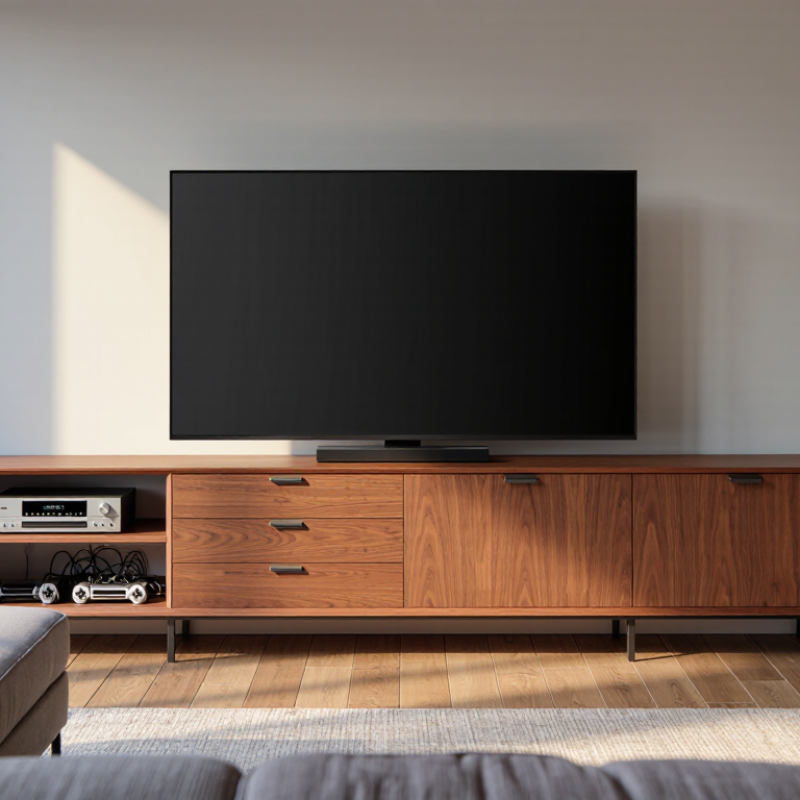
How to Choose the Right TV Cabinet?

Understanding TV Cabinet Types and Their Functions

How to Choose the Right TV Cabinet?
Understanding TV Cabinet Types and Their Functions

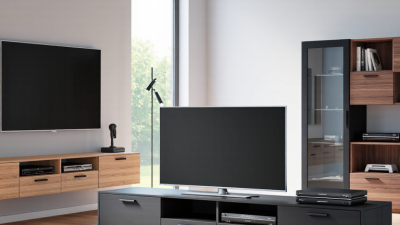
Different TV cabinets solve different room problems. A low console keeps the screen near seated eye level and offers a broad surface for small devices. A wall-mounted unit frees floor space and makes cleaning easier, but it needs secure fixing to a suitable wall. Tall cabinets add shelves for books or media equipment, though they can make a compact room feel crowded.

Choose storage based on what you actually use. Open shelves help ventilate game consoles and make cables easier to reach. Closed cupboards hide remotes, discs, and loose adapters, but crowded compartments can trap heat. A corner cabinet can use an awkward angle, while a modular design adapts when furniture moves. Measure the screen, viewing distance, wall, and cabinet depth. Check ventilation and cable openings too. It is tempting to choose by appearance alone. That can be a mistake.

Tips: Place the cabinet on level flooring, and leave space around powered devices. Keep heavy items low to reduce tipping risk. If children or pets are nearby, consider anchoring the unit. Recheck cable reach before buying. Small details matter. Even careful measuring may miss a plug sticking out behind the cabinet, so allow a little extra depth.
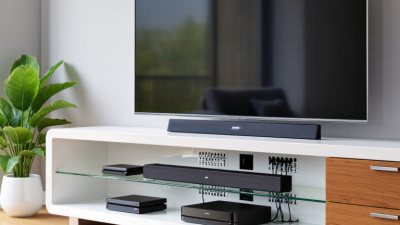
How to Choose the Right TV Cabinet?

Typical functional suitability by cabinet type (1 = lower, 5 = higher)

Closed cabinets offer more concealed storage, while open shelving generally allows better airflow around electronics. Floating and corner cabinets can help make efficient use of floor space. Ratings are a practical, illustrative comparison; actual performance depends on the cabinet’s design and installation.

Measuring Your TV and Available Space

Before choosing a TV cabinet, measure the television itself, not just its advertised screen size. Screen measurements run diagonally; cabinet fit depends on the TV’s full width, height, and depth. Include the feet or stand, since they may extend beyond the screen. Measure the space where the cabinet will sit, too. Check wall width, baseboards, nearby outlets, and how doors or drawers will open. A few inches can make a real difference.

Tips: Use a tape measure and write down each number. Measure twice. Leave room for cables and airflow, and check that the TV’s feet sit securely on the cabinet top. Don’t forget the viewing height from your usual seat.

Before settling on a size, picture the whole setup: a cabinet can fit the wall but still crowd a doorway or block a vent. Check the viewing distance and whether the screen will feel comfortable from the sofa. If the TV is wall-mounted, measure the cabinet’s height against the screen’s position. I’d recheck the measurements before ordering; it’s an easy step to rush, and small measuring errors are frustrating to fix later.

Choosing Storage, Materials, and Style

A TV cabinet should fit the room and the equipment you actually use. Measure the television, streaming devices, game consoles, and soundbar before shopping. Leave a little space around electronics so heat can escape. Measure twice. Check shelf height and depth, plus whether cabinet doors open without hitting nearby furniture. Cable openings at the back keep cords manageable, though their position may not match every wall outlet.

Choose storage for daily habits, not just appearance. Drawers hide remotes and spare cables, while open shelves make frequently used devices easier to reach. Adjustable shelves can adapt when equipment changes. Check the cabinet’s stated weight capacity, especially for a large television. Solid wood is sturdy but can be heavy; engineered wood is often more affordable, but edge finishes and joints deserve a close look. Glass adds openness, yet fingerprints show quickly.

Style works best when it relates to the room’s existing shapes and finishes. A simple cabinet can settle into a busy space, while textured wood adds warmth to a plain room. Match every finish exactly? Not always. Similar tones can look more natural than a near-match that feels accidental. I might choose the prettiest option too quickly, so it helps to compare cabinet dimensions, storage, and material quality before deciding.

Checking Stability, Ventilation, and Cable Management

How to Choose the Right TV Cabinet?
Checking Stability, Ventilation, and Cable Management

A cabinet should stay steady when you open a drawer or gently press its top. Check the stated weight capacity against your television’s weight, including any soundbar or accessories. Place the cabinet on a level floor, and test for rocking before setting the screen on it. A wide base can help, but it does not replace proper wall anchoring, especially in homes with children or pets. Small details matter.

Heat needs somewhere to go. Compare the cabinet’s ventilation openings and interior space with the television’s setup instructions. Leave clear space around vents, and avoid pushing the set tightly against a closed back panel. If you use a game console or receiver inside, check its own clearance needs too. Warm air trapped behind a cabinet can build up quietly. I sometimes see attractive units with barely any airflow; looks alone are a poor test.

Plan cable routes before assembly. Rear openings should line up with the television’s ports, and grommets can prevent sharp edges from rubbing cables. Leave enough slack to move the screen without pulling plugs loose, but avoid tangled coils behind warm equipment. Keep power connections accessible rather than buried in a packed compartment. It is easy to overlook this until the cabinet is already full. Recheck the layout after connecting everything.

How to Choose the Right TV Cabinet? — Checking Stability, Ventilation, and Cable Management

Selection Criterion What to Check Practical Guidance Why It Matters
Load capacity Compare the cabinet’s stated maximum load with the combined weight of the TV and any equipment placed on it. Keep the total load within the manufacturer’s rating. If the rating is unclear, choose a cabinet with a clearly stated capacity and a comfortable margin. Overloading can cause shelves or the cabinet structure to bend, weaken, or fail.
TV support and width Check the distance between the TV’s feet or mounting points and the usable cabinet-top dimensions. Make sure every foot rests fully on a stable surface. For a more balanced appearance, choose a cabinet wider than the TV, while following the TV manufacturer’s support requirements. Proper support reduces the chance of an unstable or overhanging setup.
Stability and tip-over protection Look for a rigid frame, level feet, secure joints, and instructions for anchoring the cabinet to a wall. Place the cabinet on a level floor and install the supplied anti-tip restraint according to its instructions, especially in homes with children or pets. A tall or unevenly loaded cabinet can tip if pulled, climbed on, or bumped.
Shelf strength Check the load rating and dimensions of each shelf, including the space needed for receivers, consoles, and other devices. Keep heavier equipment on lower shelves when the cabinet design allows, and do not exceed the rating for any individual shelf. Even when the cabinet’s overall capacity is adequate, a single shelf can be overloaded.
Ventilation Inspect the back panel, openings, and compartment layout for airflow around heat-producing equipment. Follow each device’s manual for required clearance. Avoid blocking vents; where instructions are unavailable, use an open or ventilated compartment rather than enclosing equipment tightly. Restricted airflow can cause equipment to overheat or reduce its performance.
Cable routing Check for rear cutouts, cable channels, and enough space for power and signal cables without pinching them. Route cables through designated openings, keep them away from sharp edges, and avoid tight bends. Follow the cable manufacturer’s guidance for bend radius. Pinched or sharply bent cables may be damaged and can be difficult to replace.
Power and access Confirm that outlets, plugs, and equipment controls remain accessible after the cabinet is positioned. Leave enough room to reach plugs and switches. Do not place power strips where they can be crushed, covered, or exposed to liquid. Accessible connections make maintenance safer and help prevent accidental damage.
Room fit Measure the intended space, cabinet depth, doorways, and the path required to move the cabinet into the room. Compare the cabinet dimensions with the available wall space and allow room for doors, drawers, and cable connections to open or reach comfortably. Careful measuring helps avoid blocked walkways and installation problems.

Comparing Assembly, Durability, and Cost

Choosing the right TV cabinet means weighing more than appearance. Assembly affects how quickly it becomes usable and how securely it stands. Flat-pack models may cost less, but numerous panels and fittings take patience. Check whether two people are recommended, and measure doorways before delivery. Vague instructions can make assembly frustrating. It happens.

Durability depends on more than a cabinet’s listed weight capacity. Look for sturdy joints, a stable back panel, and shelves that resist sagging under your equipment. Solid wood can be durable, while engineered panels often reduce cost; either can perform well when construction is sound. Check cable openings and ventilation, especially if devices generate heat. A cheaper cabinet may need replacing sooner, though higher cost alone does not guarantee better quality. I would pay attention to hinges and drawer runners, but overlook them sometimes.

Tips: Compare the assembled dimensions and load limits, not just the box size. Set a budget that includes delivery and tools. If possible, inspect the joints in person.